
Add Configure to onboarding
This is the Quickstart inside an onboarding step, a settings row, or a first-run screen. The chip, the redirect, and the return work as in Quickstart steps 2, 3, and 5. The difference is the return: it shows what the user brought, then fills in your next screen. The rest of the Quickstart still applies: credentials, the daily refresh, the commit, and the tools.
This page uses two helpers. They are yours:
ts
import { Configure } from "configure";

export const configure = new Configure({ apiKey: process.env.CONFIGURE_API_KEY, agent: process.env.CONFIGURE_AGENT });
export const profileFor = (userId: string) => configure.profile({ externalId: userId });   // one handle per user, keyed by your id

// The daily read, also run once on the return. Returns null until the user has connected.
export async function refreshContext(userId: string) {
  const read = await profileFor(userId).read({ sections: ["identity", "preferences", "summary", "integrations"] });
  if (!read.profile.linked) return null;
  const text = read.profile.format();
  await store(userId, text);   // `store` is your database: one string per user
  return text;
}
The chip and the return
The onboarding step has a chip that links to a route on your server. The route sends the user to Configure's page with a returnUrl, and Configure sends them back there when they finish.
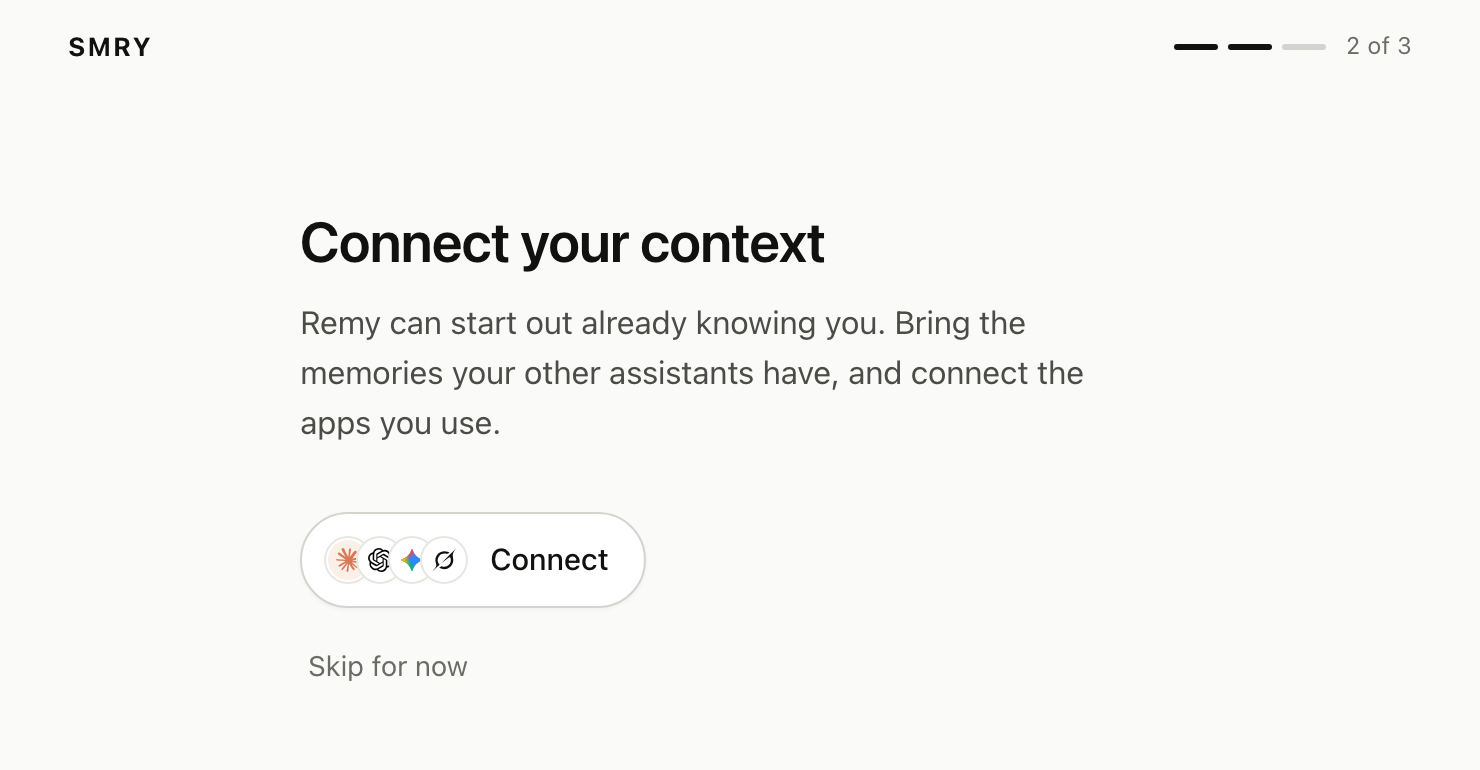
The return route reads what the user brought, stores their context (Quickstart, step 6), and shows a welcome.
ts
const RETURN_URL = "https://yourapp.com/onboarding/return"; // a constant, never from the request
const APPS = { gmail: "Gmail", calendar: "Google Calendar", drive: "Google Drive", notion: "Notion", sheets: "Google Sheets", outlook: "Outlook" };
// The onboarding step's chip links here.
app.get("/onboarding/connect", async (req, res) => {
const connect = await profileFor(req.user.id).connect({ returnUrl: RETURN_URL });
res.redirect(connect.connect_url); // Configure's page, then back; a user who already connected comes straight back
});
// Configure sends the user here when they finish.
app.get("/onboarding/return", async (req, res) => {
const { profile } = await profileFor(req.user.id).read({
sections: ["identity", "imports", "integrations"],
});
if (!profile.linked) return res.redirect("/onboarding?step=2¬ice=not-connected"); // they closed Configure's page early
const brought = [
...Object.values(profile.imports)
.filter((source) => source.memory_count)
.map((source) => `${source.memory_count} memories from ${source.name}`),
...Object.entries(profile.integrations)
.filter(([, app]) => app.connected)
.map(([id]) => `${APPS[id] ?? id} connected`),
];
await refreshContext(req.user.id); // their first chat starts with their context
res.render("welcome", { name: profile.identity.given_name, brought, next: "/onboarding?step=3" });
});imports is keyed by assistant, such as { chatgpt: { name: "ChatGPT", memory_count: 9 } }. integrations is keyed by app, such as { gmail: { connected: true } }. For Nova Sandbrook, the sandbox user, brought is ["9 memories from ChatGPT", "Gmail connected", "Google Calendar connected"].
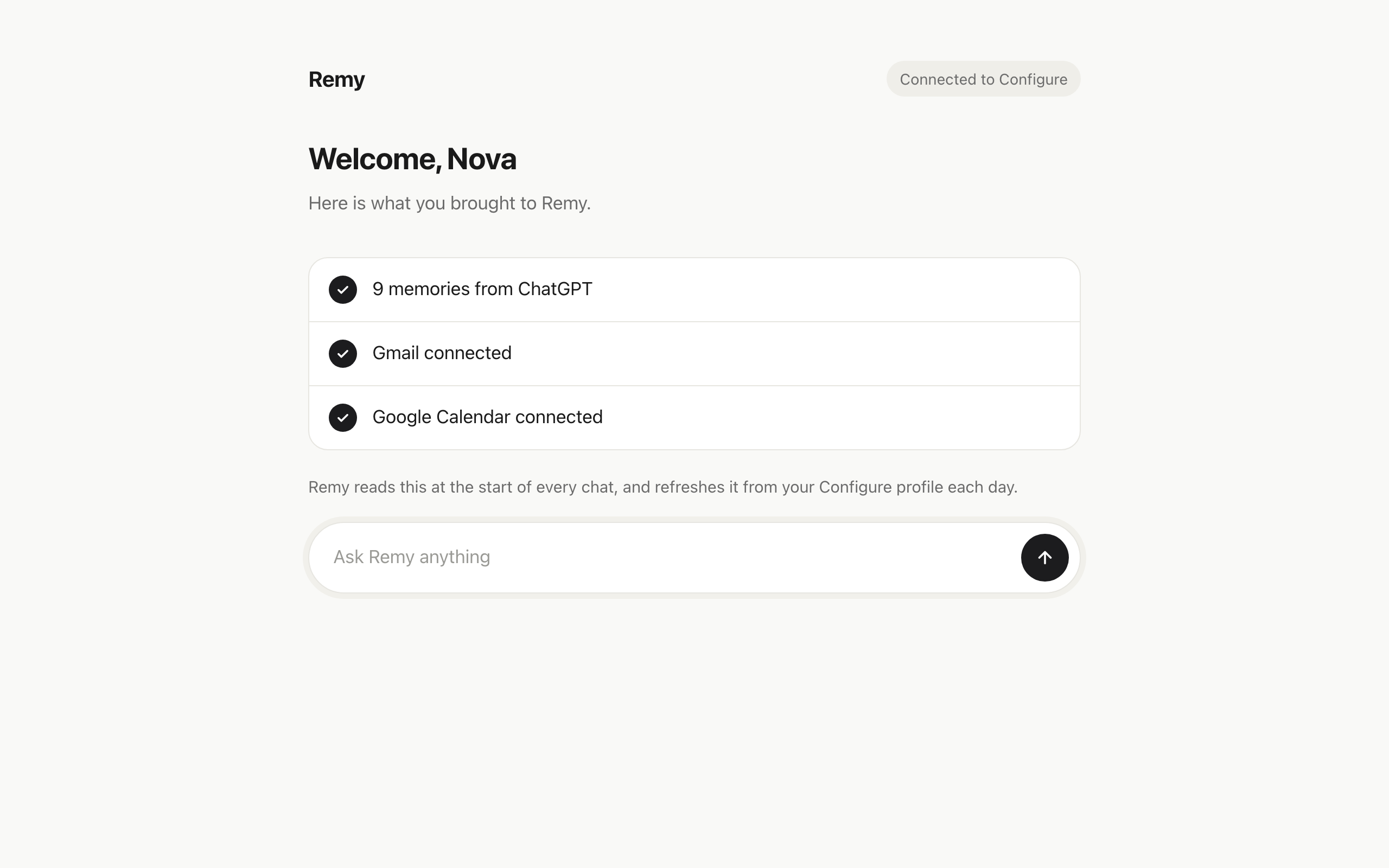
Two rules for the return:
returnUrlmust behttps, even while you develop, and it is a constant, never built from the request. Configure sends the user there without a click when the browser'sRefererorigin matches it, which the default policy sends, or when its host is inallowed_return_hostson your developer account. Otherwise the user sees a button that names the host. That list is separate fromnpx configure add origin, which registers an OAuth callback and has no effect here.- Trust the profile, not the URL. Anyone can type the return address into a browser. The route reads
profile.linkedand decides from that.
A fresh import can take a few minutes to process, so a short list on the first return is normal.
Fill in the next step
After the welcome, fill in your next screen from the profile instead of asking.
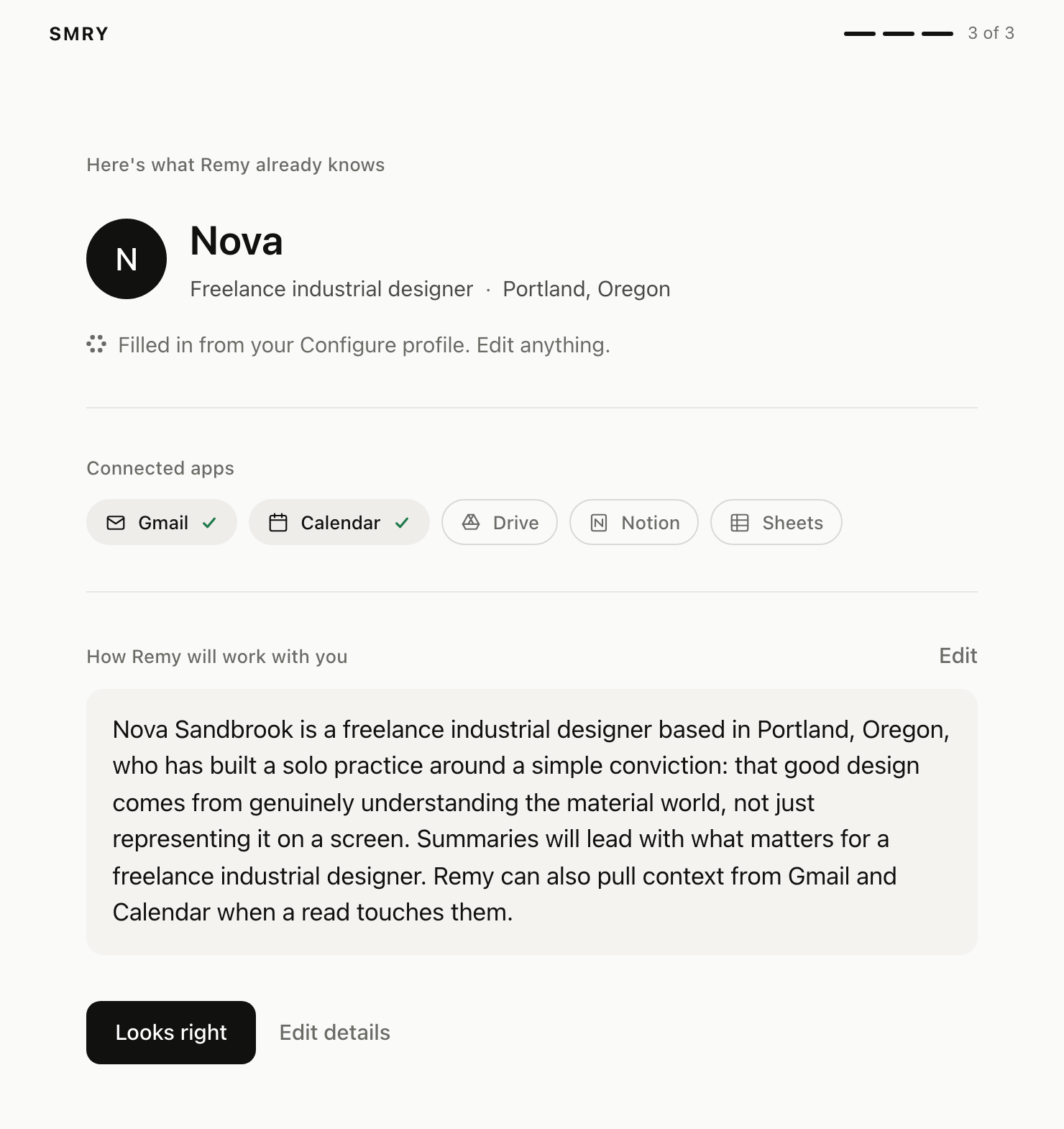
What you can fill in, from read({ sections: ["identity", "summary", "integrations"] }):
| Field | Where it comes from |
|---|---|
identity.given_name, identity.family_name, identity.email | The account the user signed in with. identity.email_verified says whether Configure verified it. |
identity.role, identity.occupation, identity.location, identity.company_website | Taken from the user's memories. A thin profile leaves them null, so treat each as a suggestion, not a fact. |
integrations.gmail.connected, and the same for calendar, drive, notion, sheets | Which apps the user connected. Show those as already on. |
summary | One paragraph on who the user is and how they like to work. |
If a field is still null, ask for it on the next screen. A user who skips this step can connect later from the chip in your app (Quickstart, step 2).
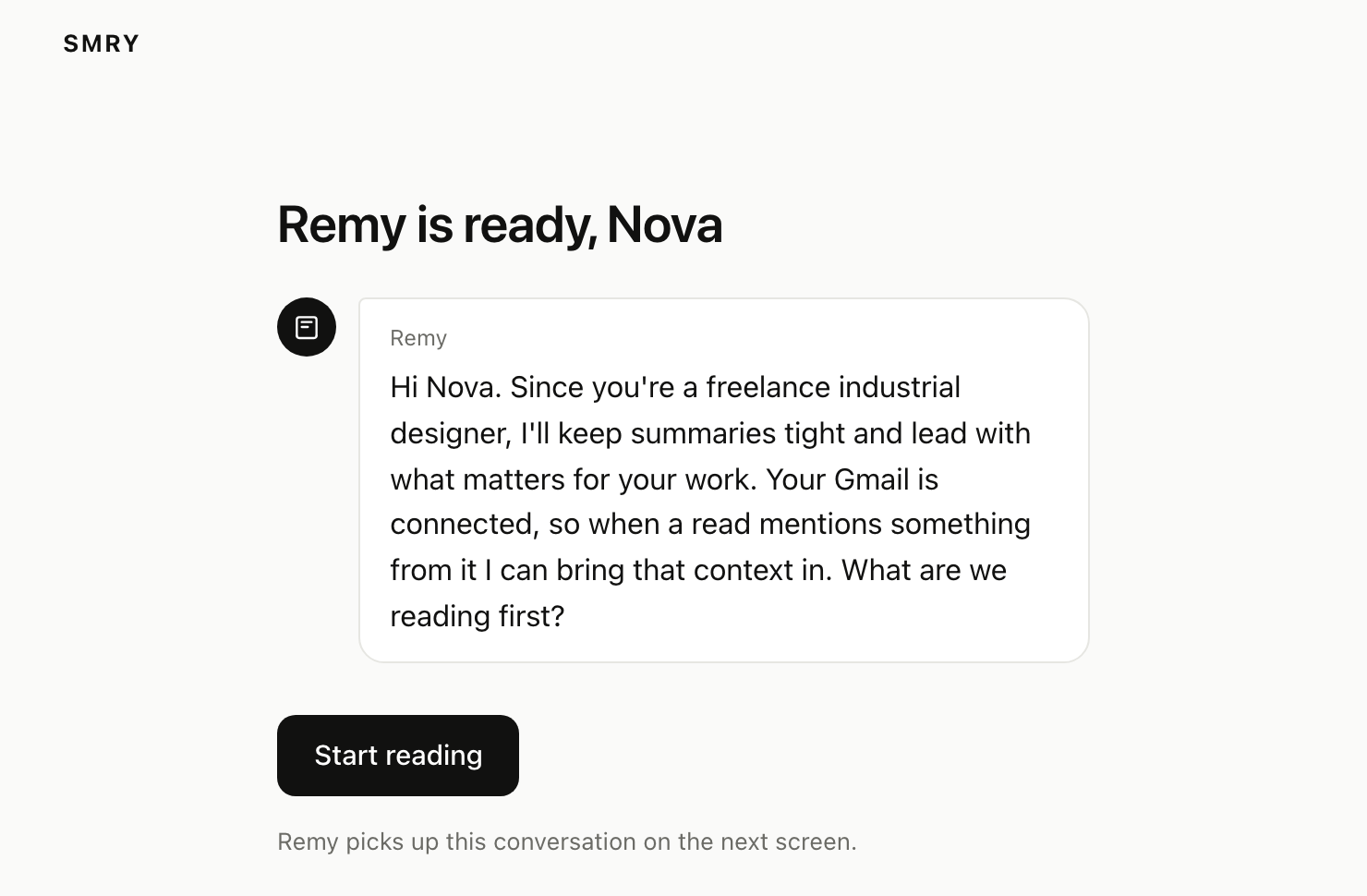
An app that uses Configure only in onboarding still refreshes daily (Quickstart step 6). The profile keeps growing in the user's other apps, and a copy from sign-up day goes stale.
Next
- The chat version, and the rest of the loop: Quickstart.
- Configure's own buttons for this step: Components.