
What the hosted flow asks for
The rule. The hosted flow starts with an import. On the first screen the person brings in an assistant's memories or connects an app, and only then verifies a phone number. It does not ask for a mailbox unless you require one.
You do not set anything to get this order.
The screens
- Import. Cards for ChatGPT, Claude, Gemini and Grok, and the apps Gmail, Google Calendar, Google Drive, Notion and Outlook, by default. Continue stays off until the person imports from one assistant or connects one app.
- Phone number. "Verify your phone number."
- Code. "Enter the code": six digits, sent by text message. Entering it saves what the person brought in to the Configure account behind that number.
- Receipt. "You're all set", with a row for each assistant imported and app connected, and one button back to where the person came from. It returns on its own after a few seconds when it can.
There is no permissions screen between them. Finishing the flow approves your app.
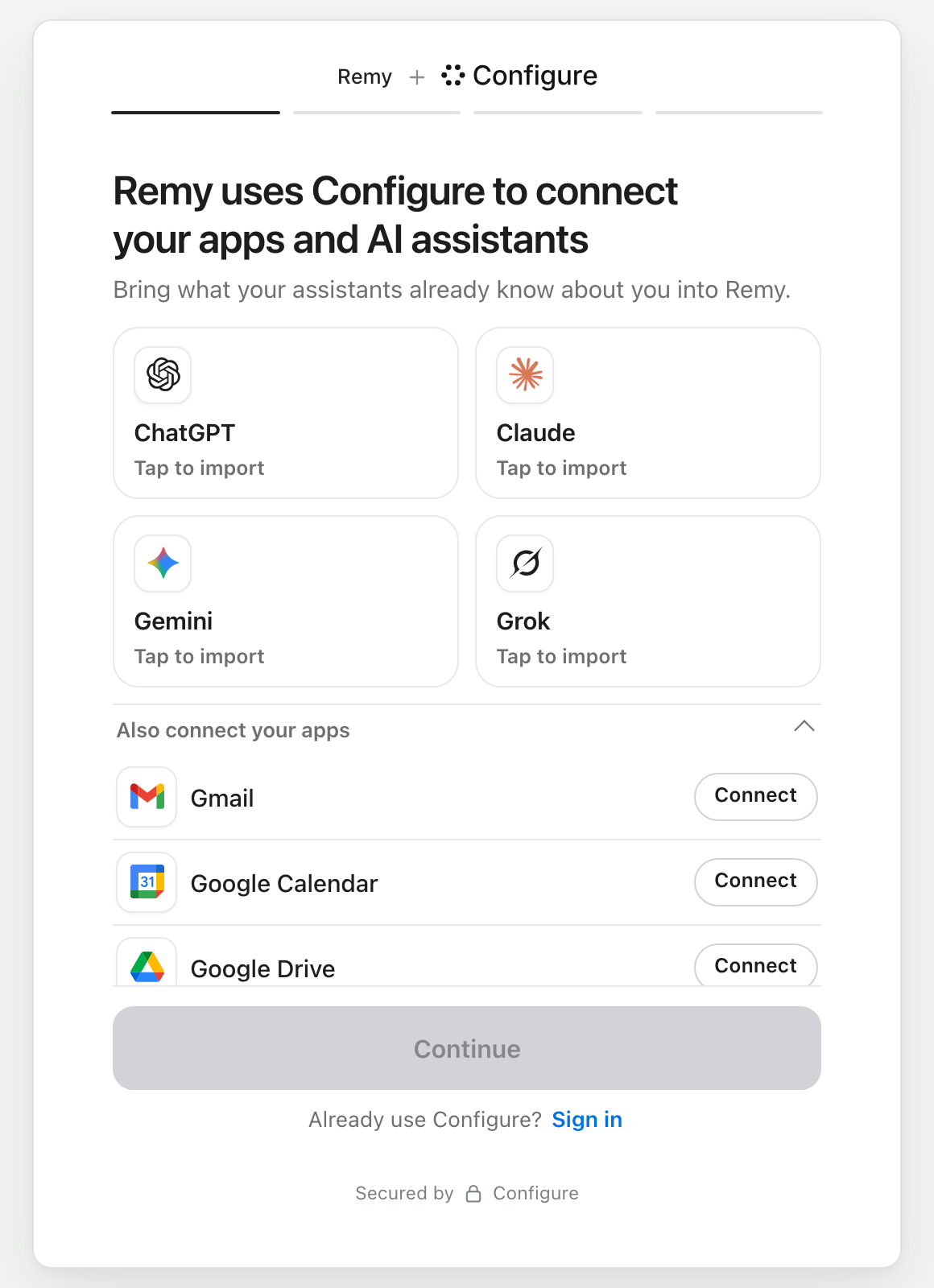
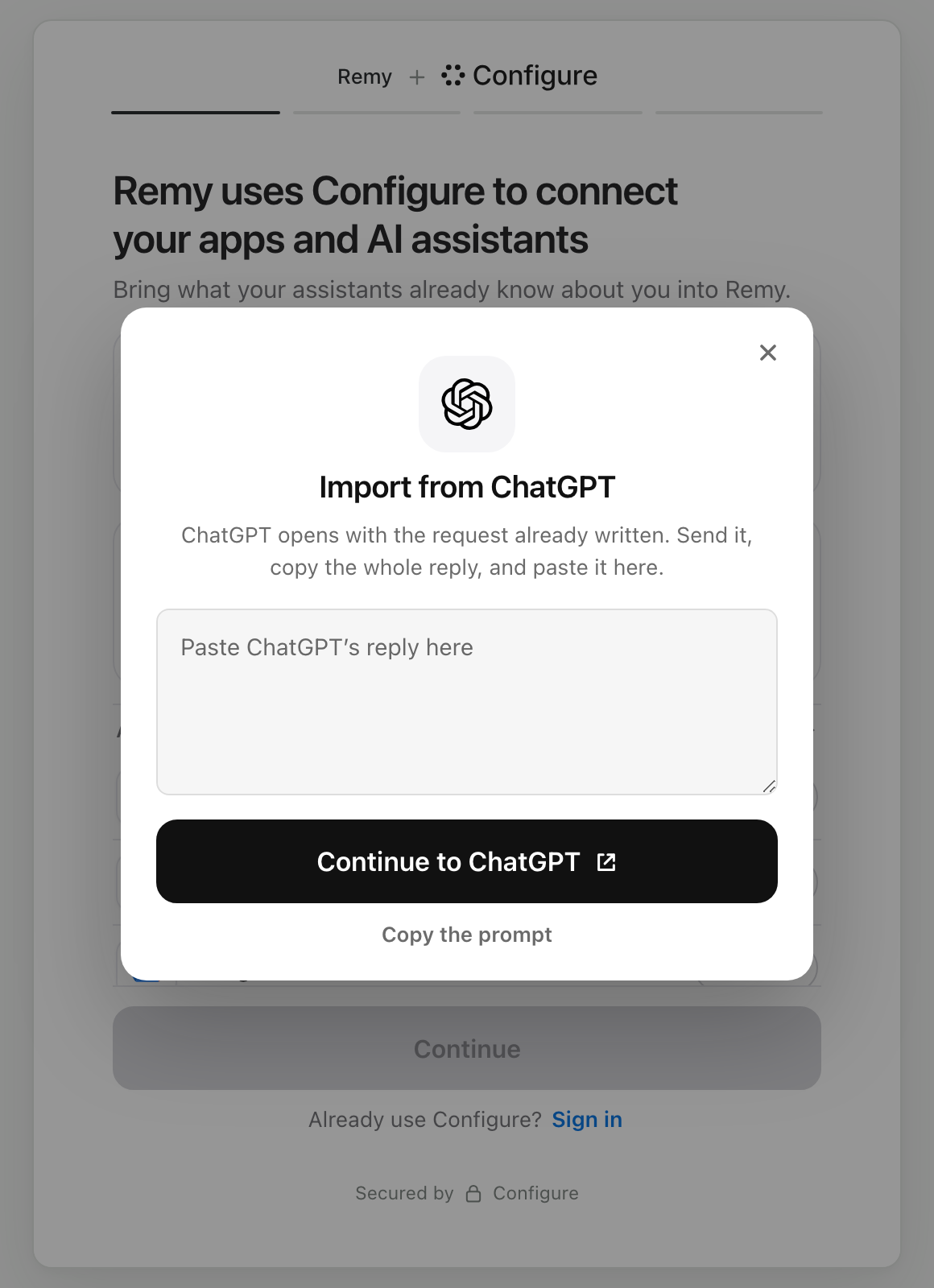
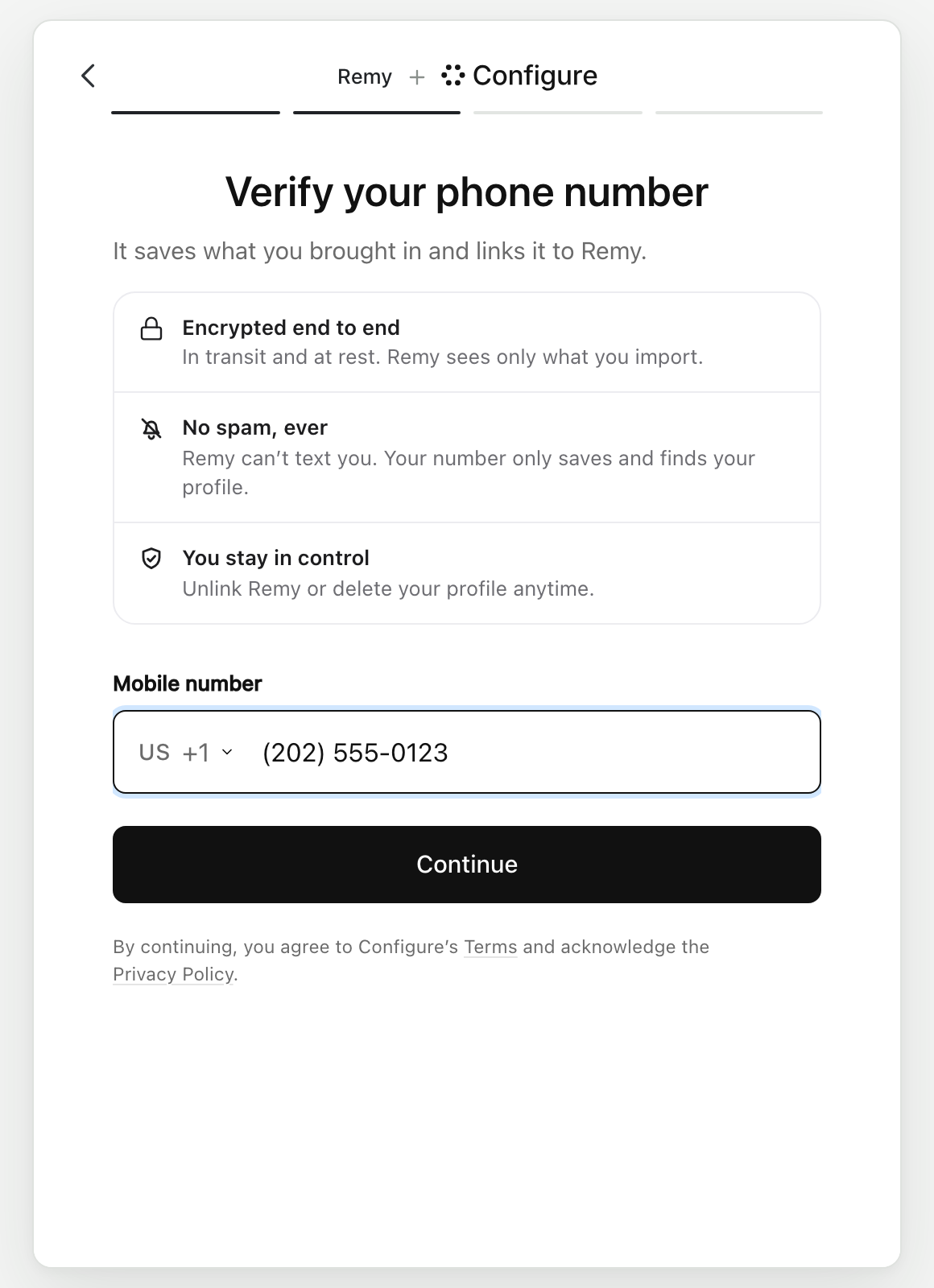
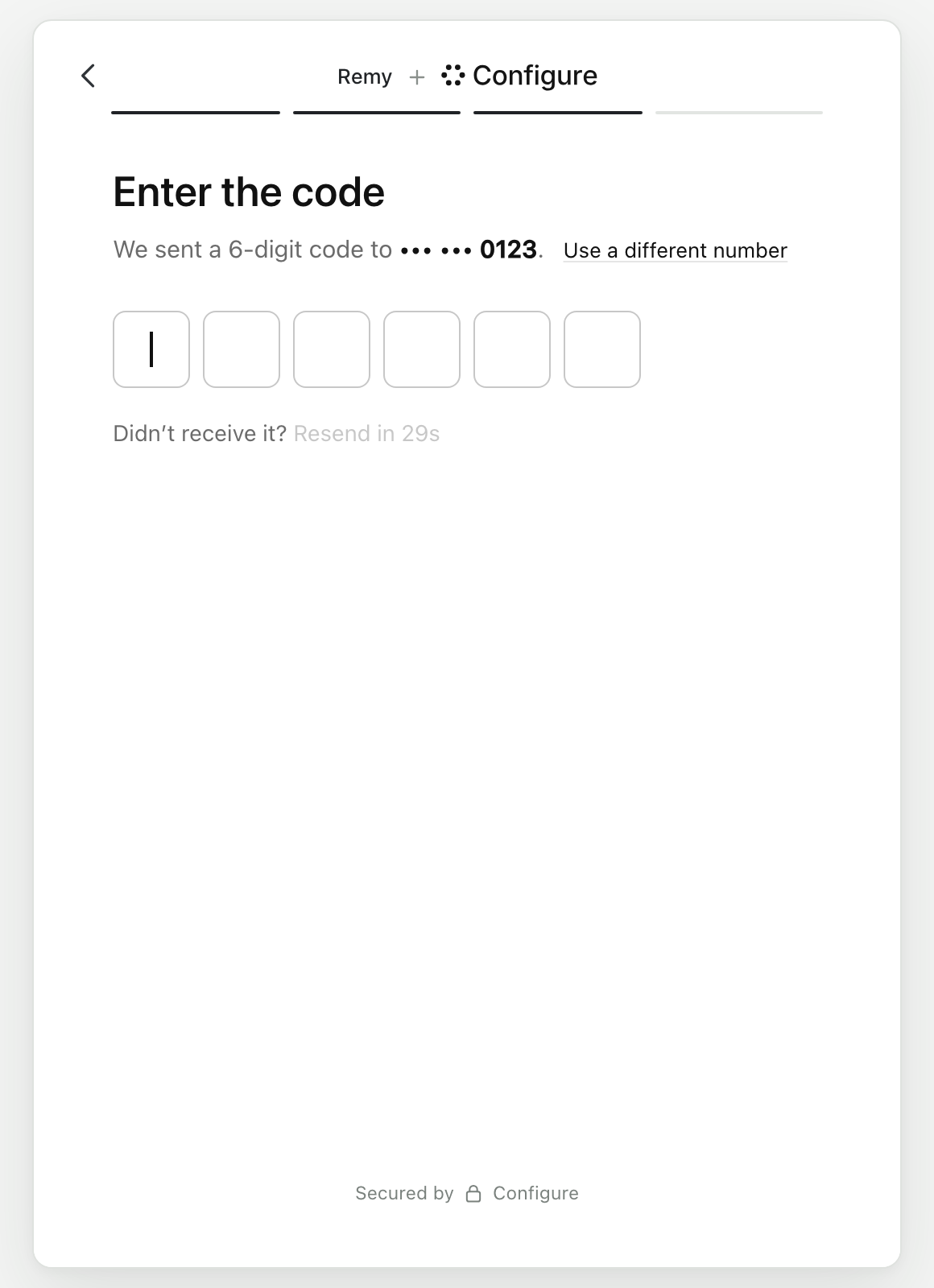
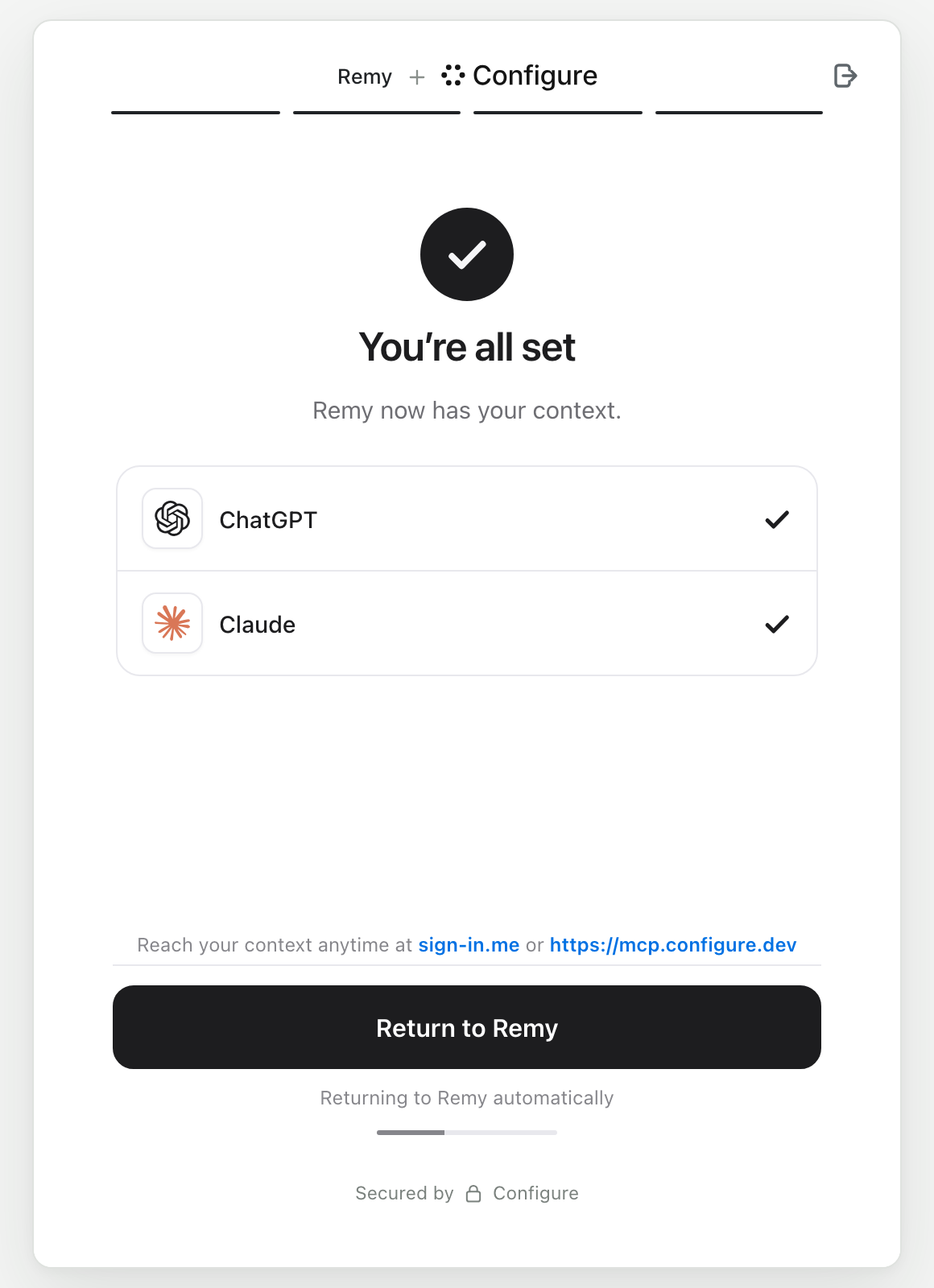
On a phone the same screens fill the width:
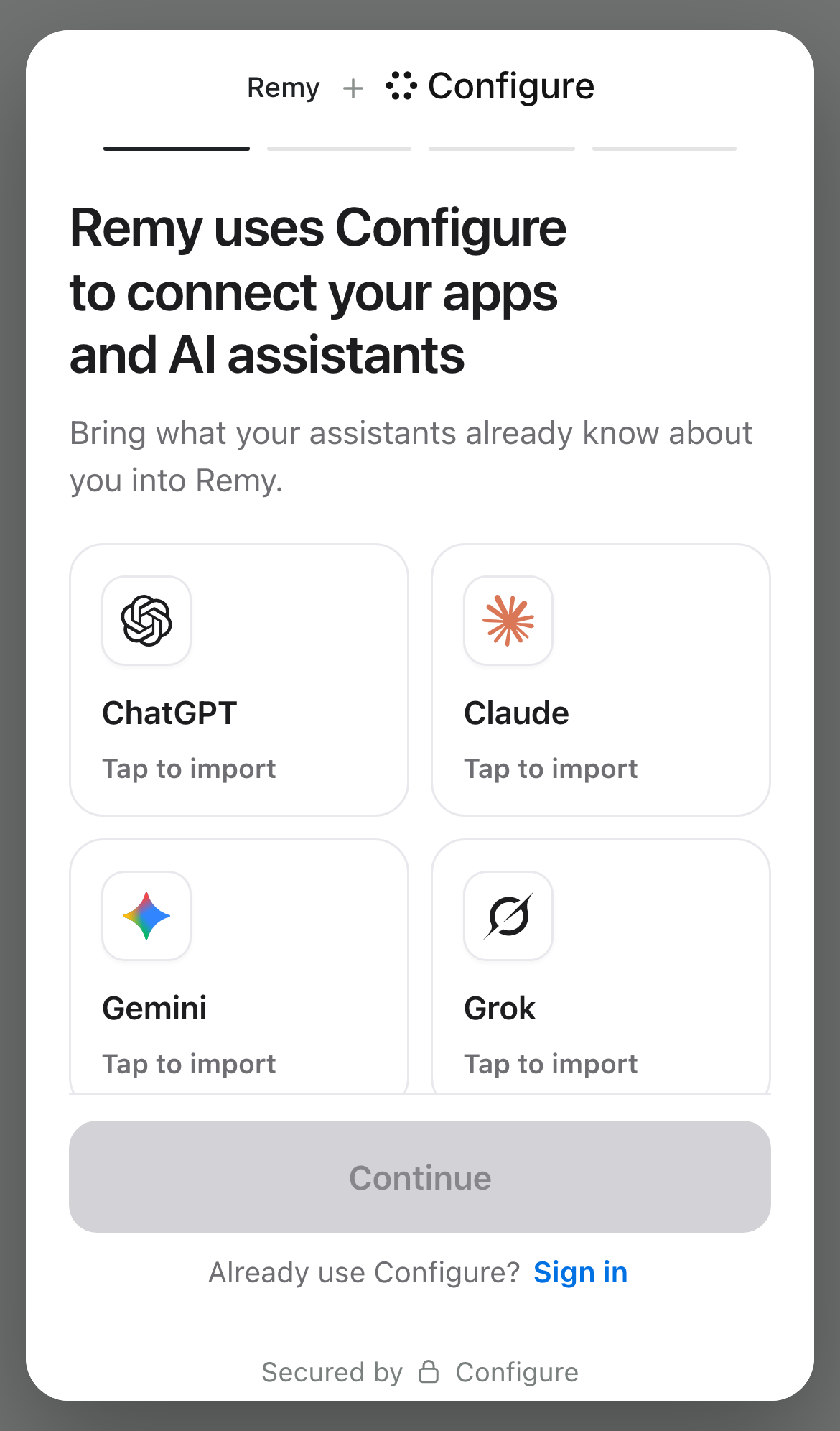
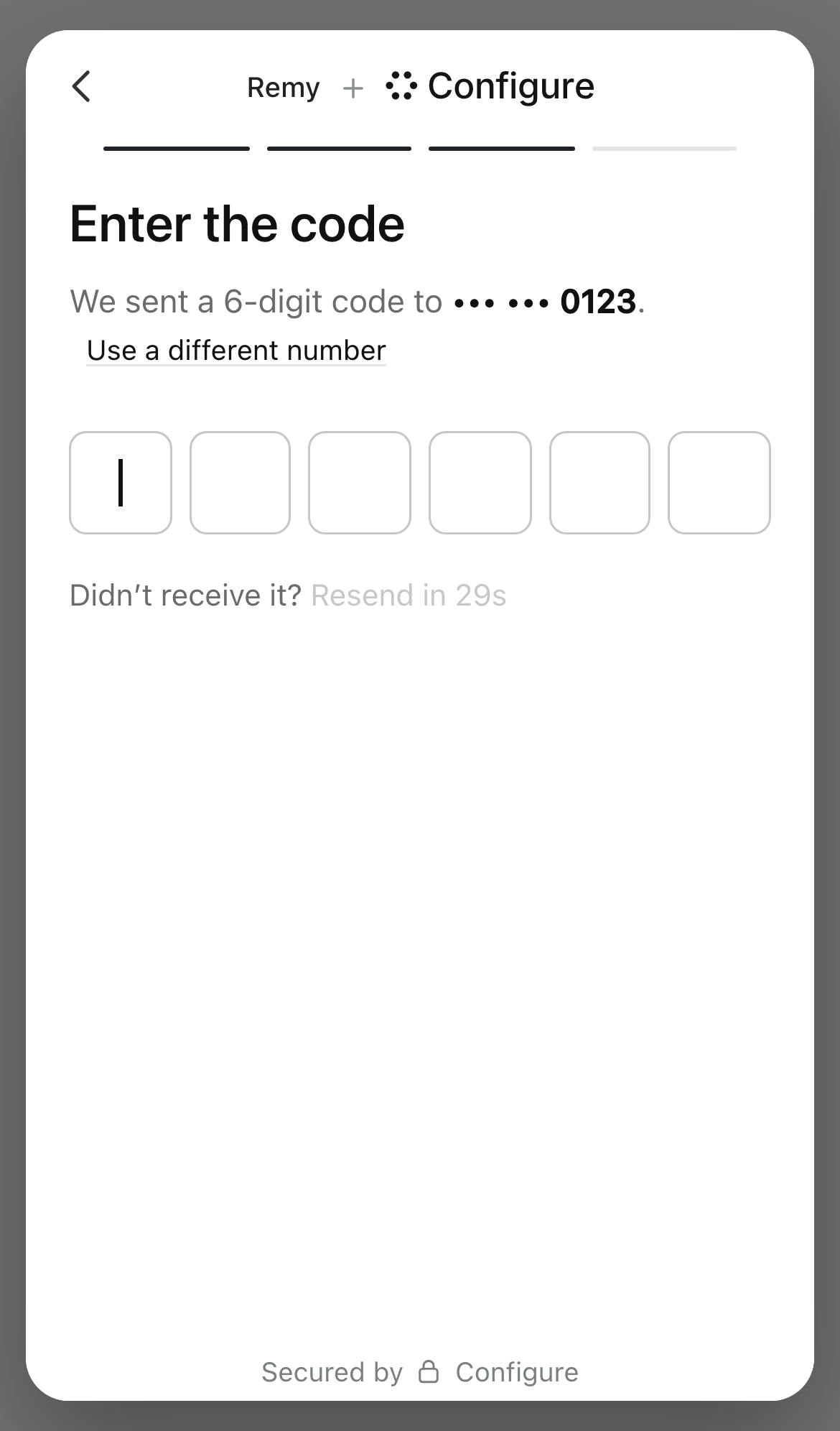
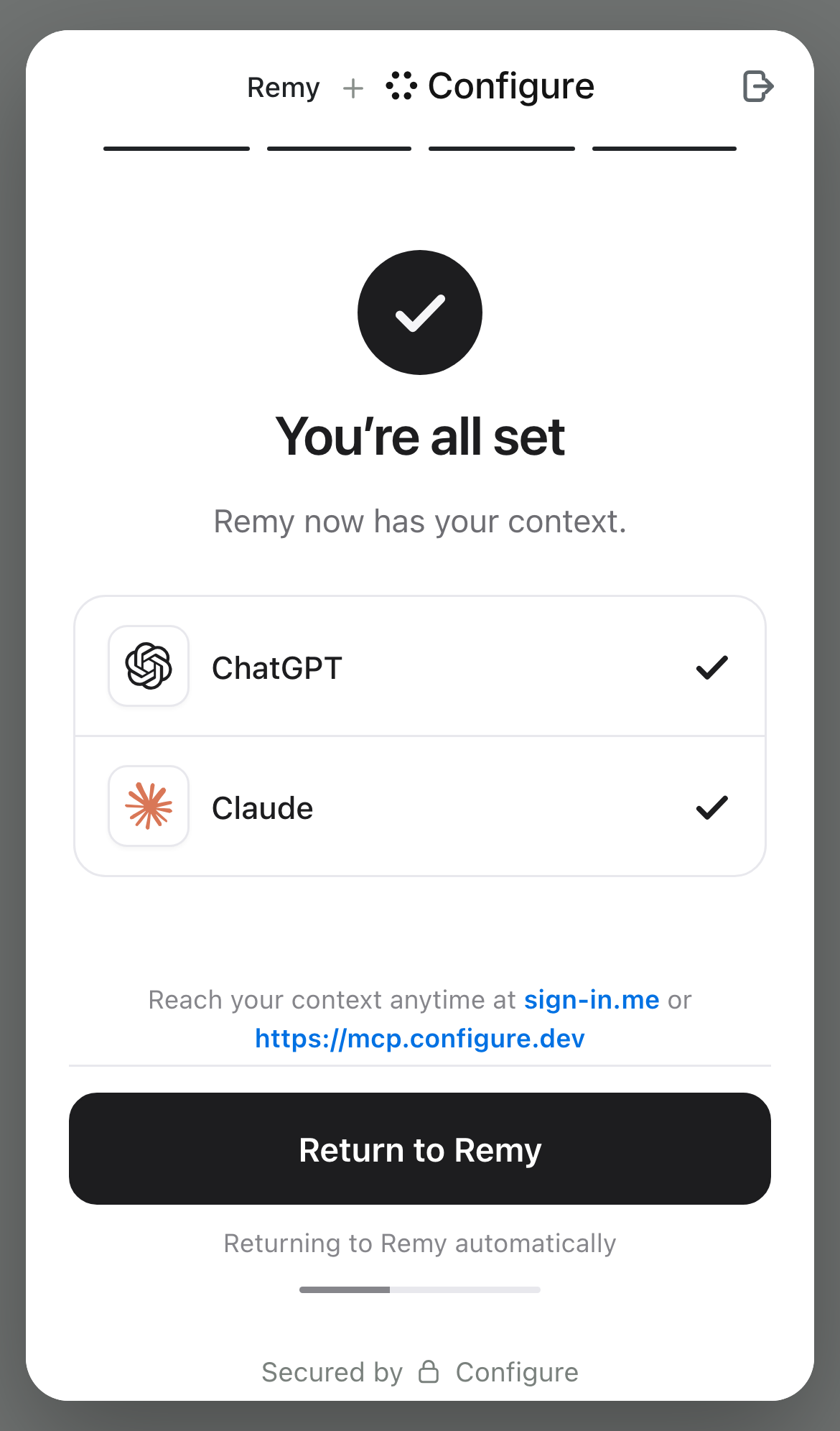
The hosted pages are light in every theme.
A person who already has a Configure account taps Sign in under Continue ("Already use Configure? Sign in"). They enter their phone number and code first, then return to the import screen signed in, with what their account already holds. If the account already holds something, Continue is on unless you require more.
Where each way in starts
| The person arrives from | First screen |
|---|---|
A sign-in link from signInUrl (sign-in.me), or Configure.signInWithPopup() | Import |
A text-back sign-in link from createMessageSignInUrl() with reason: "signin" | Import |
An OpenID Connect sign-in, including one that asks for the email scope | Import |
| An MCP client connecting to Configure | Import |
The personal MCP install (npx -y @configure-ai/mcp login --personal) | Import |
A connect link from configure_connect or profile.connect() that names no app, for a person who is not signed in yet | Import |
| Configure's own profile sign-up | Import |
A partner link minted with flow: "connect" | Import |
A partner link minted without flow | Import, then the phone number and the code (the connect flow) wherever the installation has it; otherwise the import-only flow, with no phone number or code at all |
A partner link minted with flow: "linked_account" | Import, then the phone number and the code: it is served as the connect flow. The phone-first order is available per partner and off by default |
An OpenID Connect request with a required entry made only of mailboxes | The mailbox page, then import |
A sign-in link whose connectors names a single app | That app, marked Required, after the mailbox page if a mailbox the app does not meet is also required. See Require one thing, or link to one app |
A sign-in link whose connectors names only sheets | The older connect page: phone number and code, then Sheets. That page does not read required |
| The ChatGPT or Claude app store listing | That listing's own connection page |
A linked_account link is served as the connect flow: the import screen first, then the phone number and the code, which bind your user id to a Configure account. The phone-first order is still available for a partner that needs it and is off by default. See the linked account flow and the connect flow.
A connect link minted for one app opens on that app ("Connect Gmail"), with no assistant cards. A person who is not signed in yet enters their phone number and code after it. profile.connect({ app }) mints this link. So does configure_connect with an app, once the person has signed in.
For a person who is already signed in, a connect link that names no app opens on the list of apps. A connect link that asks for a capability, such as gmail:send, keeps its own page. A person who is not signed in enters their phone number first.
When the mailbox page comes first
The mailbox page asks for Gmail or Outlook before anything else. It reads "Connect your apps and assistants to" followed by your app's name, then "First, connect Gmail or Outlook to secure your account." It has a Continue with Gmail and a Continue with Outlook button and no Continue button. Below them, a line says what comes next, such as "Then bring your ChatGPT, Claude, Gemini or Grok memories into" your app.
The person continues by connecting one mailbox. The import screen follows with that mailbox already connected, then the phone number and the code. On a link for one app, that app's screen follows instead.
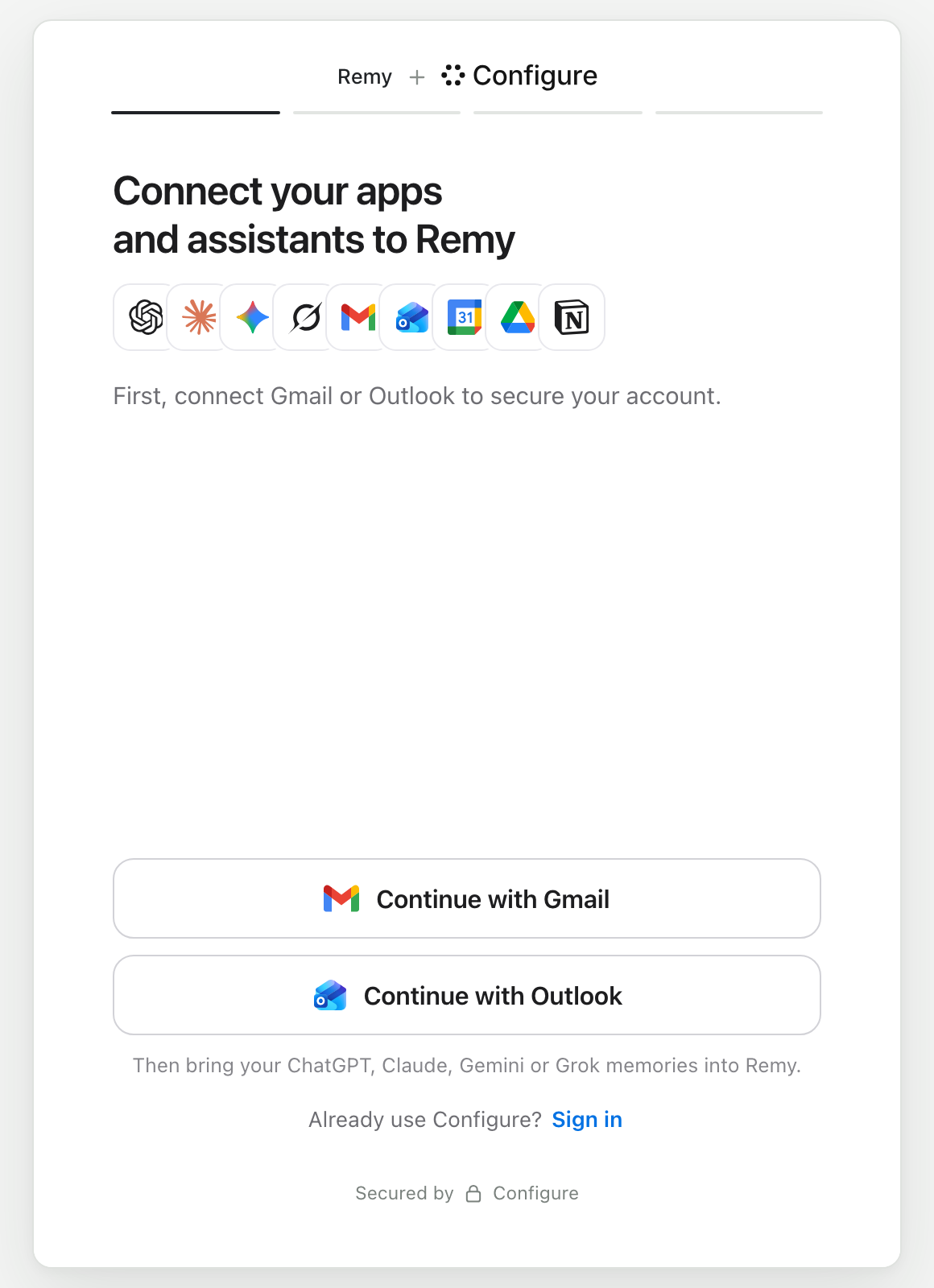
It comes first in one case. Your OpenID Connect /oauth/authorize request has a required entry made only of mailboxes (email, gmail|outlook, gmail or outlook). Smry, a reading app built on Configure, sends required=gmail|outlook there, so its readers see this page first.
When the entry names one mailbox, the page offers only that one. Any other entries apply on the import screen that follows. When the link is for one app, and that app is a mailbox the entry accepts, the link's own screen asks for it instead. For example, connectors: ["gmail"] with required: ["email"] opens on "Connect Gmail".
It does not come first in these cases:
- A partner link minted with
flow: "connect"(orlinked_account, which is served as connect). It keeps its import screen. The required mailboxes move to the top of the apps, marked Required, and Continue stays off until one is connected. - The
emailscope on its own. An OpenID Connect client that asks for theemailscope gets the import screen first. After the code, if the account has no verified email yet, the mailbox page follows. To put the mailbox page first, addrequired=emailto your authorize request. OpenID Connect has the whole request. - Configure's own profile sign-up. It opens on the import screen too, and asks for a mailbox after the code when the account has none connected.
When your product needs a verified email address, require a mailbox. Otherwise, leave it out. The person can still connect Gmail or Outlook on the import screen.
Require apps and assistants
If your product needs something the person has not brought in yet, name it in required. Continue stays off until every entry is met. Pass it as one more parameter on your OpenID Connect /oauth/authorize request, or as a field when you mint a partner session. On the authorize request, commas separate entries, and the | is URL-encoded as %7C:
text
GET https://api.configure.dev/oauth/authorize?response_type=code&client_id=oc_...&redirect_uri=...&scope=openid%20email%20profile&state=...&nonce=...&code_challenge=...&code_challenge_method=S256&required=gmail%7Coutlook,chatgptWhen the person is back, check email_verified in the ID token, and read imports on their profile to see that ChatGPT came in.
When you mint a partner session with POST /v1/flows/sessions, required is a list in the JSON body. That endpoint is REST only. The SDK has no method for it, so there is no configure.flows to call. See the connect flow.
json
{
  "flow": "connect",
  "partner_ref": "your-own-user-id",
  "required": ["gmail|outlook", "chatgpt"]
}
The grammar:
- Every entry must be met. The example needs a mailbox and ChatGPT.
|inside an entry means any one of them."gmail|outlook"is met by either.- An inner array is the same as
|in a partner session.[["gmail", "outlook"], "chatgpt"]means the same as the example. A flat["gmail", "outlook"]requires both. emailis short forgmail|outlook.- In a URL, commas separate entries:
required=gmail|outlook,chatgpt. POST /v1/profile/connect,configure_connect,createMessageSignInUrlandConfigure.signInWithPopupdo not takerequired. They drop it without an error.
Valid names are chatgpt, claude, gemini, grok, gmail, outlook, calendar, drive and notion, plus email. On a partner session, an assistant must also be one of the session's sources.
Each required entry moves to the top of its list and reads Required in red until it is met. When an entry has alternatives, each one is marked. The line above Continue says one is enough, for example "Connect Gmail or Outlook to continue."
On an OpenID Connect request, an entry made only of mailboxes gets the mailbox page instead. So the example opens on the mailbox page, then the import screen with ChatGPT marked Required. A partner connect link keeps the mailboxes on its import screen, marked Required.
Require one thing, or link to one app
These are two different requests. They give two different screens.
- Require one thing and leave the rest open. Name it in
required, for examplerequired: ["notion"]. The import screen still offers every assistant and app. Notion moves to the top, marked Required, and the person can add anything else too. - A link for one app only. Pass
connectorswith a single app, for exampleconnectors: ["notion"]. The person sees that app's screen, marked Required, with anything else you require beside it. Use this when connecting that app is the whole point of the link. If a mailbox is also required, the mailbox page comes first and then points to Notion, unless the person already has it.
On a sign-in link, connectors takes gmail, calendar, drive, notion and sheets, never outlook. The import screen does not show Sheets, so a Sheets link opens the older connect page instead. That page asks for the phone number and code first, then Sheets. It does not read required, so nothing is marked Required and Continue is not held.
connectors with two or more apps is not a one-app link. The page stays a sign-in that offers those apps.
A name Configure does not know
- A partner session (
POST /v1/flows/sessions) refuses the mint with a400that names what it did not accept. It also refusesrequiredon the import-only flow, and arequiredthat is not a list. - An OpenID Connect request is not checked. The hosted page drops a name it does not know. What is left of the entry still applies. An entry with nothing left no longer holds Continue. So a typo such as
gmialsilently removes the requirement, and the person reaches your app without a mailbox.
required shapes the screen. It is not a security control. When the person is back, read their profile on your server and check what it holds. configure is the client from the Quickstart. After a sign-in, the read is configure.profile({ token }).read(). For your own user id, it is configure.profile({ externalId }).read(). A partner reads imports and connections from GET /v1/flows/sessions/:id. See the connect flow.
If you already send people here
You do not need to deploy anything for the ways in above. Configure sets the order, so the links you already send follow the table above. What reaches your app when the person finishes is unchanged. The receipt comes first, then the same return as before.
Check two differences:
- A new person must bring something in. Continue stays off until they import from one assistant or connect one app. Someone who already has an account taps Sign in instead.
- A sign-in no longer offers a mailbox after the code. If you counted on the person connecting Gmail or Outlook, sign them in over OpenID Connect with the
emailscope. Or addrequired=emailthere to ask for the mailbox first.
The app store pages
When someone connects Configure from the ChatGPT or Claude app store listing, they see that listing's own connection page. It keeps its own screens and does not follow the order on this page.