
Ask existing users to connect
Onboarding only reaches new users. People who signed up before you added Configure, or who pressed Not now, need another way in. Give them three: a prompt when they sign in, a strip above your composer, and a row in your sidebar. All three go away once the user connects. The screenshots show an app builder.
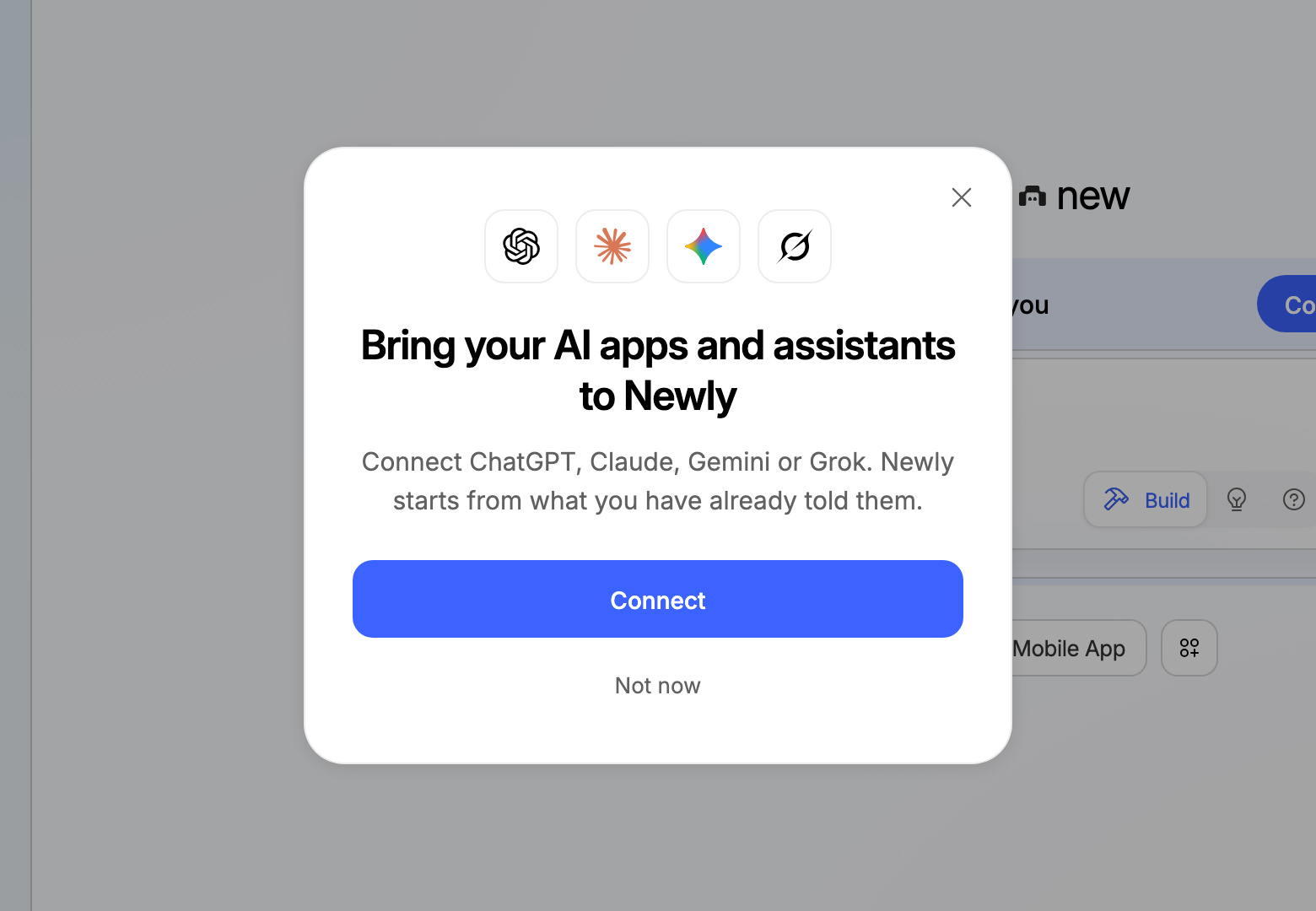
Decide on sign-in
Call this from your sign-in handler, once per sign-in, not on every page load. It asks on every other sign-in, so a user who chose Not now sees the prompt again later, but not every time.
ts
// Once per sign-in. Asks on the 1st, 3rd, 5th... sign-in until the user connects.
export async function connectPromptFor(userId: string) {
  if (await contextFor(userId).catch(() => null)) return { linked: true, ask: false };   // Quickstart step 6: null until they connect, throws after a revoke
  const signIns = ((await store.get(`sign-ins:${userId}`)) ?? 0) + 1;
  await store.set(`sign-ins:${userId}`, signIns);
  return { linked: false, ask: signIns % 2 === 1 };
}
linked comes from the context your server stores, the same value the Connected label uses. Don't keep a separate "connected" flag: the webhook refreshes your stored context when the user connects from another app, and a flag of your own misses it. Neither one hears about a disconnect. No webhook arrives when the user revokes your app, so what you stored stays as it was until you read again. When the stored copy is a week old, contextFor reads again, and that read returns 403 approval_required, so contextFor throws. Treat the throw as not connected, as the .catch in connectPromptFor above does.
The prompt's Connect button links to the start route from Quickstart, step 3. Use the Quickstart's return route, not the onboarding one, so the user comes back to where they were. The webhook keeps their context current after that.
In the prompt, name your app and the assistants people already use: "Bring your AI apps and assistants to" and your app's name, shown with the assistants' marks. People know the assistants they use, and most have not heard of Configure yet. Offer one action and one way out, Connect and Not now. Never block the app: the backdrop, the close button and the Escape key all close the prompt.
Keep a way in
While linked is false, keep two ways to connect on screen. Remove both once the user connects.
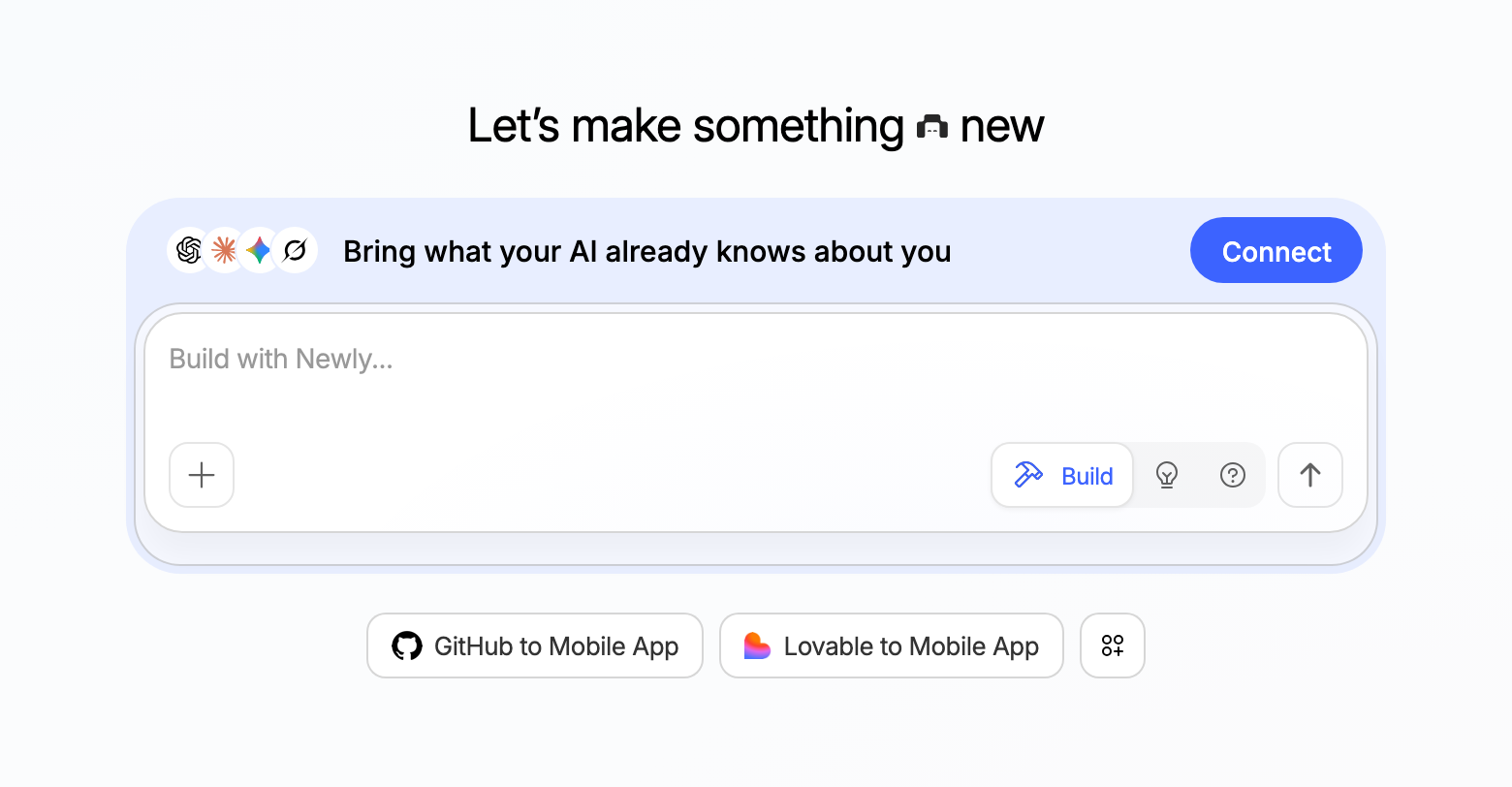
Above the composer, add a strip joined to the top of your composer's card. It says what the user gets, shows the assistants' marks, and has one Connect button that links to the same start route. Don't add a close button.
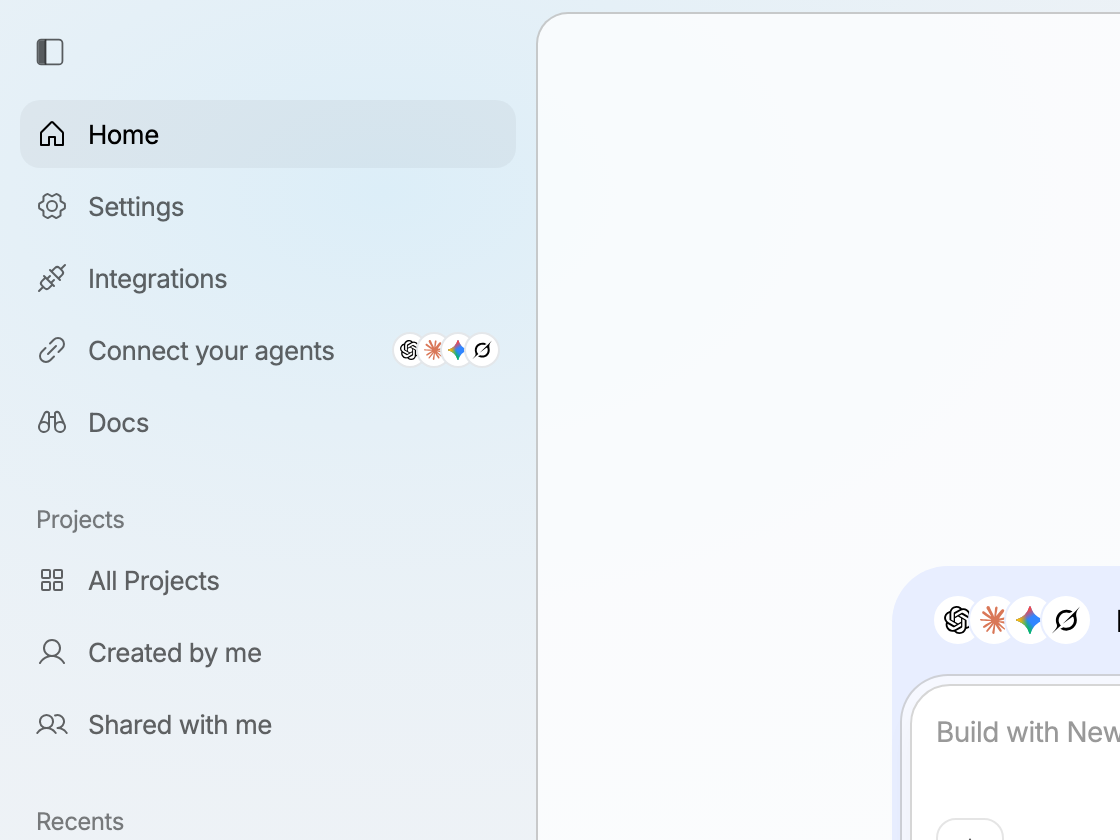
In the sidebar, add a row that opens the same prompt.
Next
- What to show once they connect: Personalization.
- New users: Onboarding.